← Back to Tools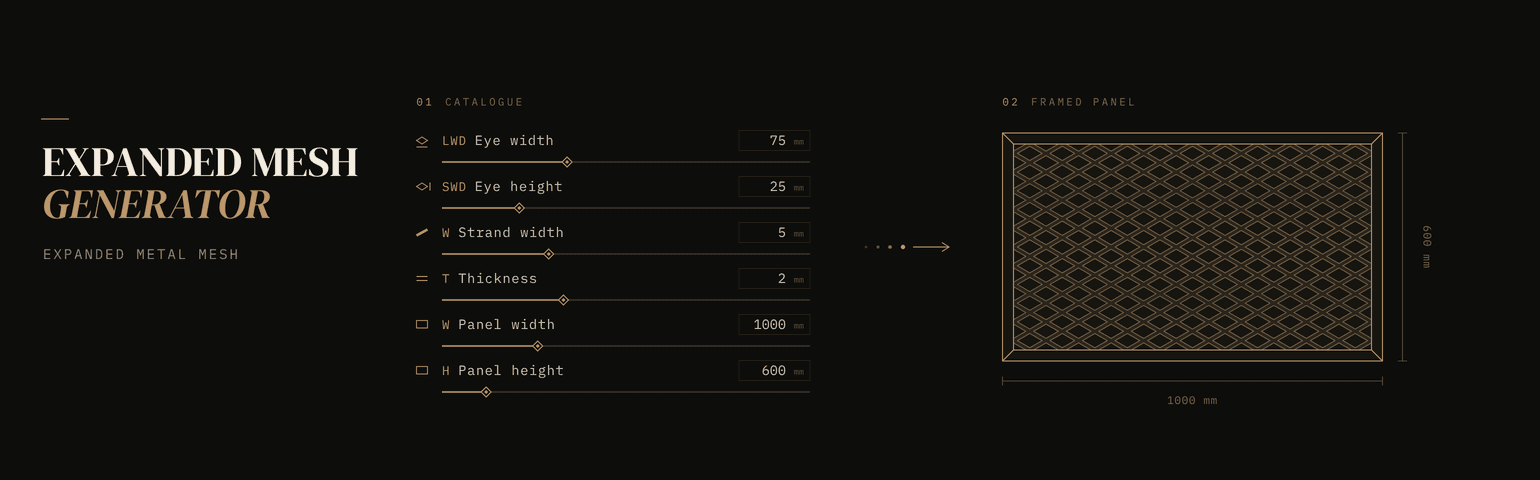 Live
Live
Web Tool · Free
Expanded Mesh Generator
Expanded Mesh Generator builds an expanded metal mesh panel from its catalogue dimensions: the long and short way of the diamond (LWD, SWD), strand width, thickness and bend radius. Set the panel size, turn the mesh 90°, slide the pattern, and add an optional U-channel or L-angle frame with mitred corners. The live 3D view and the dimensioned 2D elevation update as you type, with readouts for open area, eye count, mesh depth and frame length. Export 3D solids as STEP and the 2D front elevation as DWG, straight from the browser. No installation, no account.
LiveWhat it does
- Mesh from catalogue dimensions: LWD, SWD, strand width, thickness and bend radius
- Panel size, mesh direction (0° or ±90°) and pattern position
- Optional U-channel or L-angle frame with 45° mitred corners; the mesh is cut to fit inside it
- Live 3D view and a dimensioned 2D elevation
- Readouts: panel area, mesh cut size, eye count, open area, mesh depth and frame length
- STEP export: closed 3D solids per strand row and frame piece, in millimetres (a centre detail for very dense meshes)
- DWG export: AutoCAD 2000 front elevation with hidden lines removed, on separate layers